 This website uses cookies.
  The Primaris Printer: Goonhammer Reviews The Elegoo Jupiter 2 + Mercury Plus 3.0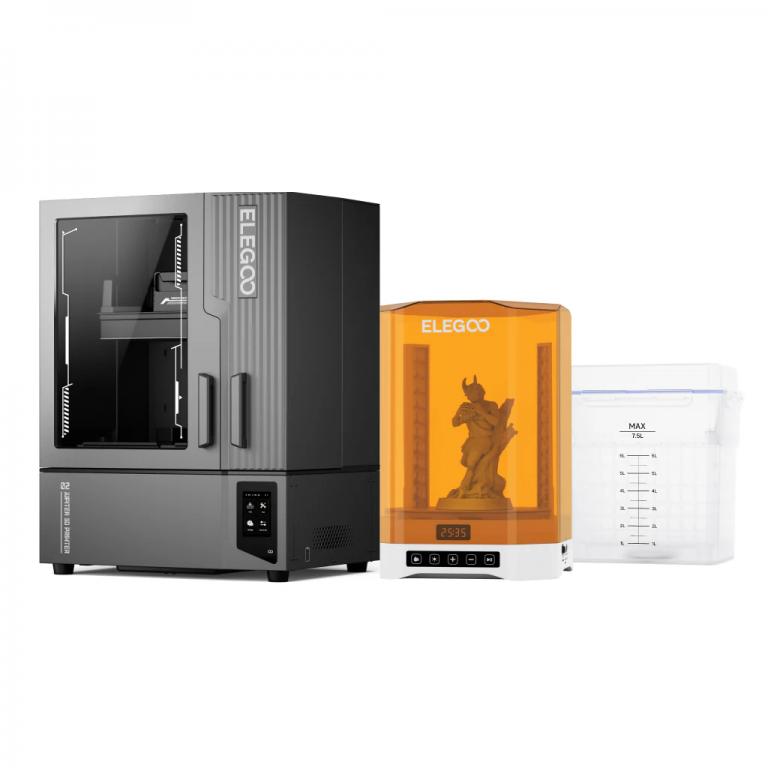
Hobby-level resin printing is now old enough to be in elementary school, and during that time the technology has evolved considerably. In the beginning printers had build plates the size of postcards, cost $400, and required considerable tweaking to get right. We now firmly find ourselves in an era where the core technology has stabilized and what's left is quality of life improvements. Elegoo is a perfect example of that maturation.
Roughly two years ago we reviewed the Jupiter SE. It was a remarkably robust machine, and showcased Elegoo's tendency to apply solid engineering principles and not skimp on quality. There was a noticeable difference between the design of the SE and Elegoo's flagship Saturn 4 Ultra, with the latter featuring a lot of technological improvements that made setup and connectivity easier. Elegoo further refined their product a year later with the Saturn 4 Ultra 16K, which looked similar to the previous product but included additional features like a camera (which I haven't found useful) and a vat heater (which can be helpful if it's too cold).
The Jupiter 2 is what happens if you take a Saturn 4 Ultra 16K, bulk it up, and spent a considerable amount of time tweaking every facet to get things just a little better. It is a Primaris Space Marine where the Saturn 4 is a Firstborn. Are the improvements enough to justify a $400 price premium? It depends on what you need it for, but for most people the answer is probably not.
Specifications
The Jupiter 2 is absolutely massive. The print volume is 302 x 162 x 300 mm, which is larger than the Jupiter SE and comparable to a filament printer like the Prusa CORE One+. If your focus is on printing miniatures, then it's extremely unlikely that you will exceed the capacity of this machine unless you intend to finally print that Imperator Titan you have been dreaming about. The 16K screen translates to a XY resolution of 20 x 26 μm, which is 6-7 μm larger than the resolution of the Saturn 4 Ultra 16K and completely irrelevant unless you're millimeters away from the print. The Z-axis accuracy is identical to the Saturn line at 0.02 mm, as is the layer thickness options which range from 0.01 to 0.2 mm. Put simply, there are no sacrifices to be made with respect to detail.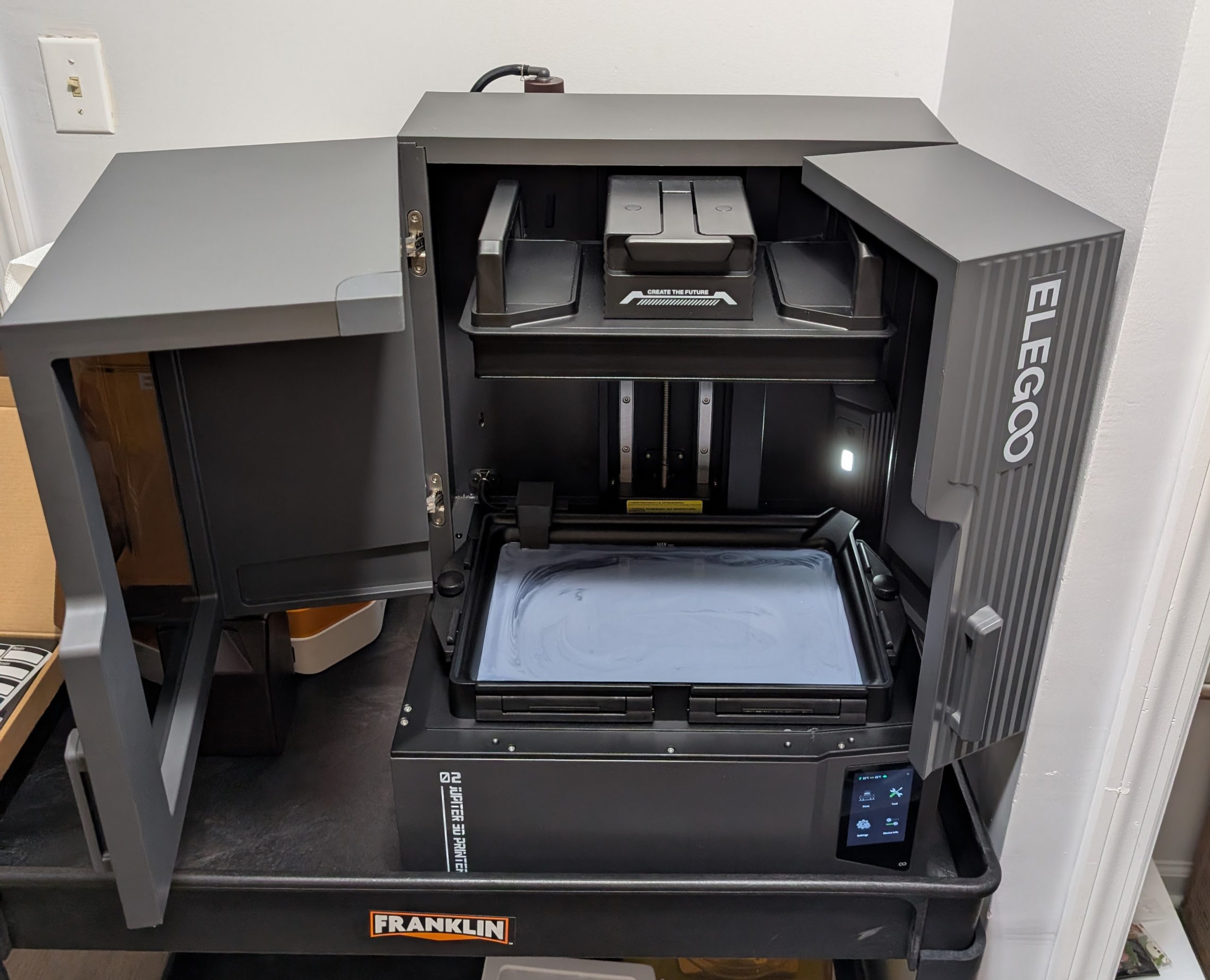 The doors require a lot of space to maximize access, and this thing is heavy enough that you're not going to want to move it unless you have to.
Hardware and Installation
It cannot be understated how large and heavy this thing is. I highly recommend having a friend help you remove it from the box; it's contained in a bag and if you're unloading it by yourself (like I was) the bag will rip. The build quality is phenomenal as usual, with the minor exception of a cosmetic detail on the tape surrounding the screen. The doors are solid, everything is machined to a high degree of quality, and the system is easily removed and connected. The only manual effort required is the resin recycling system on the back; you need to connect some hoses and the provided Velcro straps are a bit finicky. Setup via wireless is seamless and there's no assembly required. The doors swing out on both sides are require a considerable amount of space; you can see how the door by the screen is hitting the wall. I would estimate that the total "wingspan" of the doors is as much as four feet if you want as much access as possible, but it's not necessary. I found putting the part on a wheeled Harbor Freight cart was helpful.After you plug the machine in and set up Internet connectivity, it will go through a self-check system and make sure everything is fine. You may be tempted to immediately pour in resin and get to printing; do not do that. Instead look up the manual leveling procedure and perform that first. If you don't then you run the risk of the auto-leveling not working and you having to clean the build plate of all resin before you can level anything. Manual leveling is very easy; there are four screws hidden behind the plastic covers on top of the build plate and the machine just needs you to adjust them until the tension on all four screws is even. The process took about two minutes.
The machine has a resin recycling and refill system which is drastically better than the one from the Jupiter SE. There's a shelf on the back of the machine which holds the new 2L bottles that Elegoo ships their resin in, and the printer also comes with two empty ones if you have older bottles. I would absolutely hate to clean this system and my advice is that you avoid changing resins as much as possible. Once you install and connect everything up you can easily use the system to drain most of the resin from the vat or keep resin feeding. I use the ABS 2.0 formula as I love the blend of flexibility and strength.
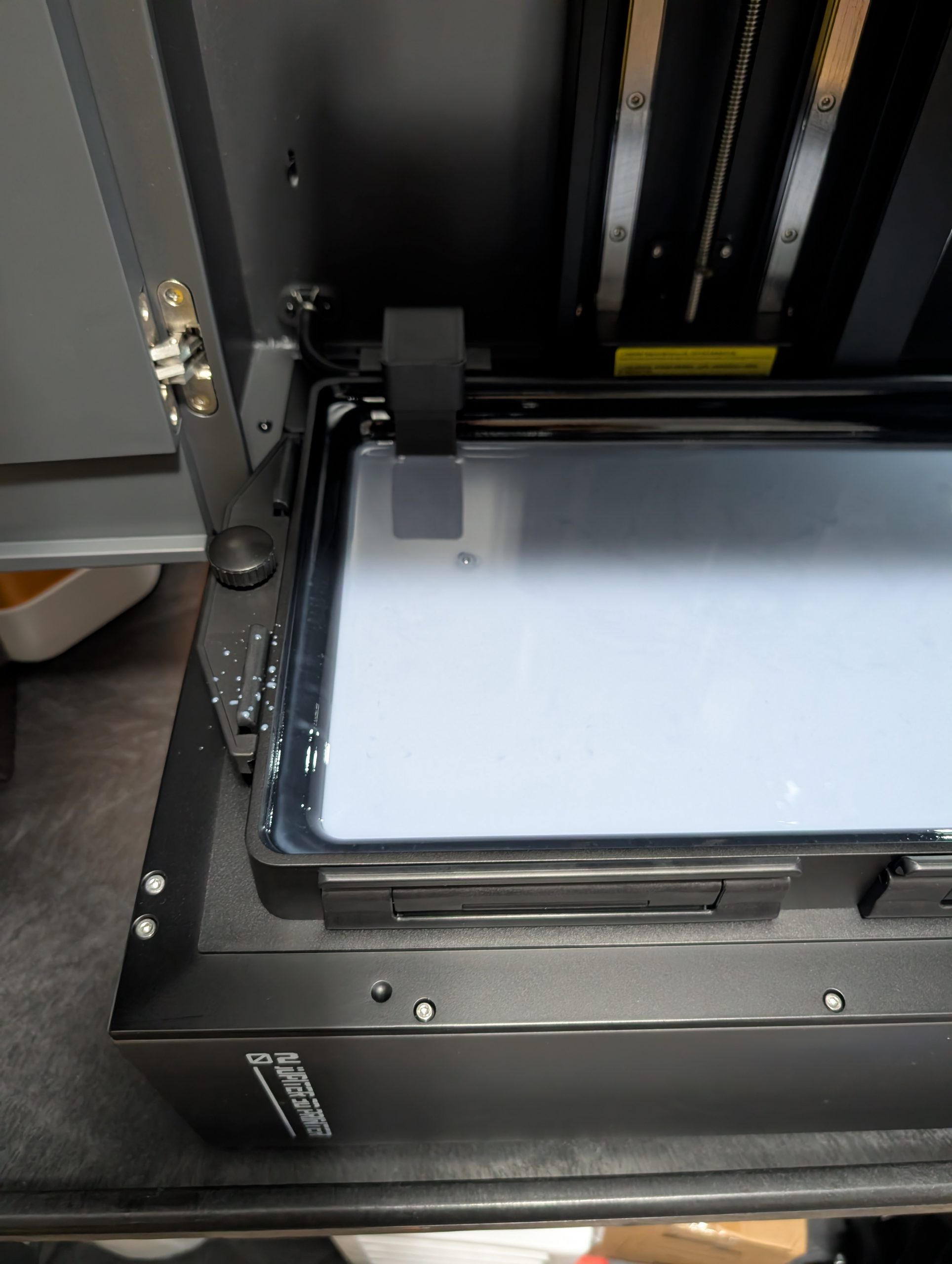 As fancy as it is, it's still a resin printer that is subject to the Laws of Physics and fluid mechanics.
One thing to be aware of is that the printer is large enough that physics will do unexpected things, such as have drops fall from enough of a height that they can splash and get resin in unusual spaces. If you're not careful that resin can cure on the inside of the chamber, which doesn't really affect anything but doesn't look great. The sheer volume of resin involved is something to be aware of, as small mistakes can cause major problems.
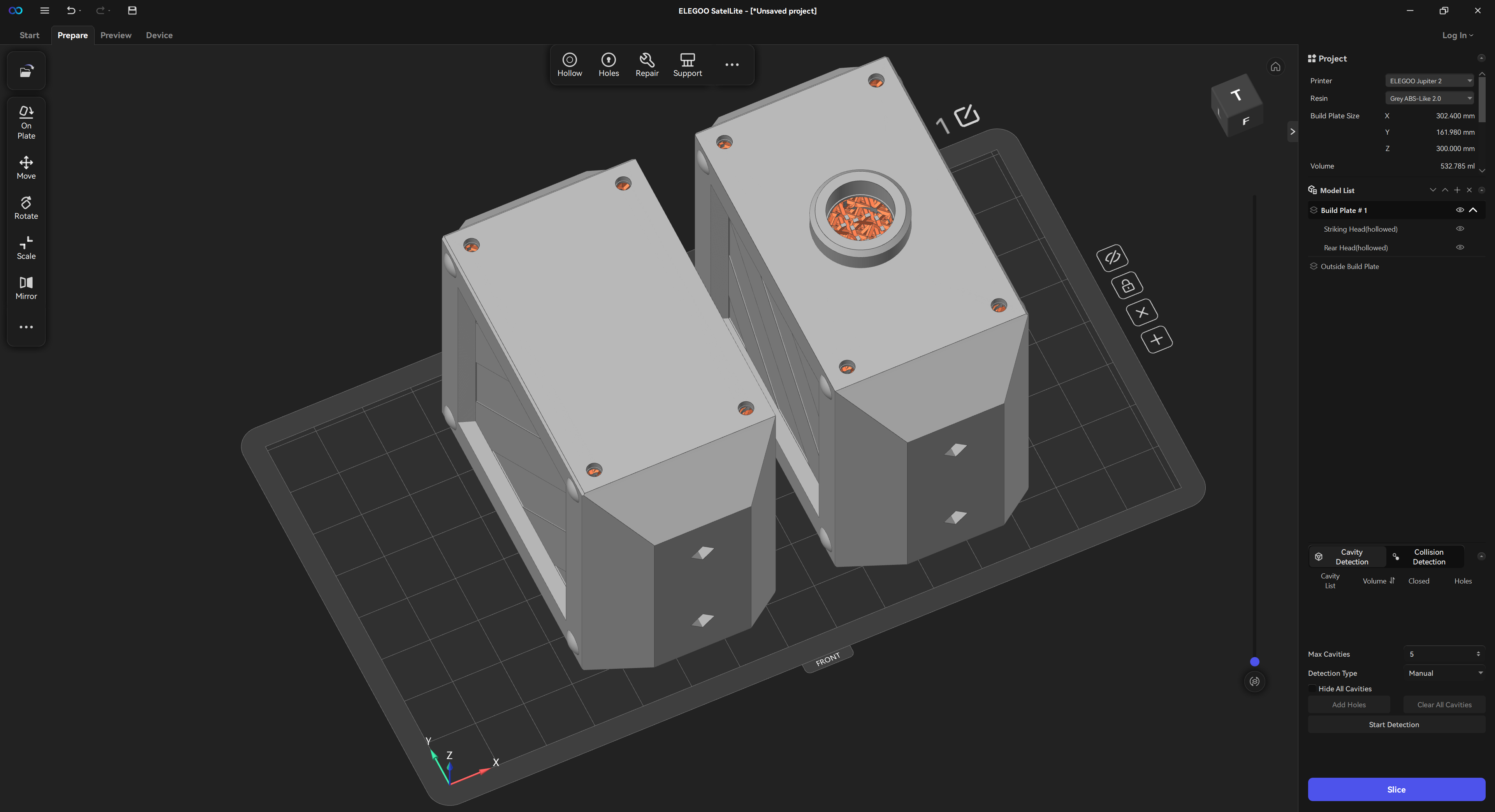 Elegoo SateLite Software
SatelLite
Elegoo's SatelLite slicer software already has machine and resin profiles available; you can search for the exact combination, and it will automatically load. From there you add your model, orient it, apply support strategy, and slice. For the most part it works pretty well. The software doesn't have as many options for supports or rafts as something like Lychee, but it's free and in my opinion there's very little that you can't make work. It's clear that Elegoo put a lot of work into figuring out bare necessities and then refined the software so that it was as effective as possible. In the image above you can an example of some of the more advanced capabilities. I started with those thunder hammer heads in Autodesk Fusion and then hollowed and added holes in SatelLite so that the print would be successful. If you're modeling your own part, then I recommend modeling reference points before you use the slicer. The SatelLite software relies on you manually positioning holes with your mouse on the surface of the part which makes precision difficult.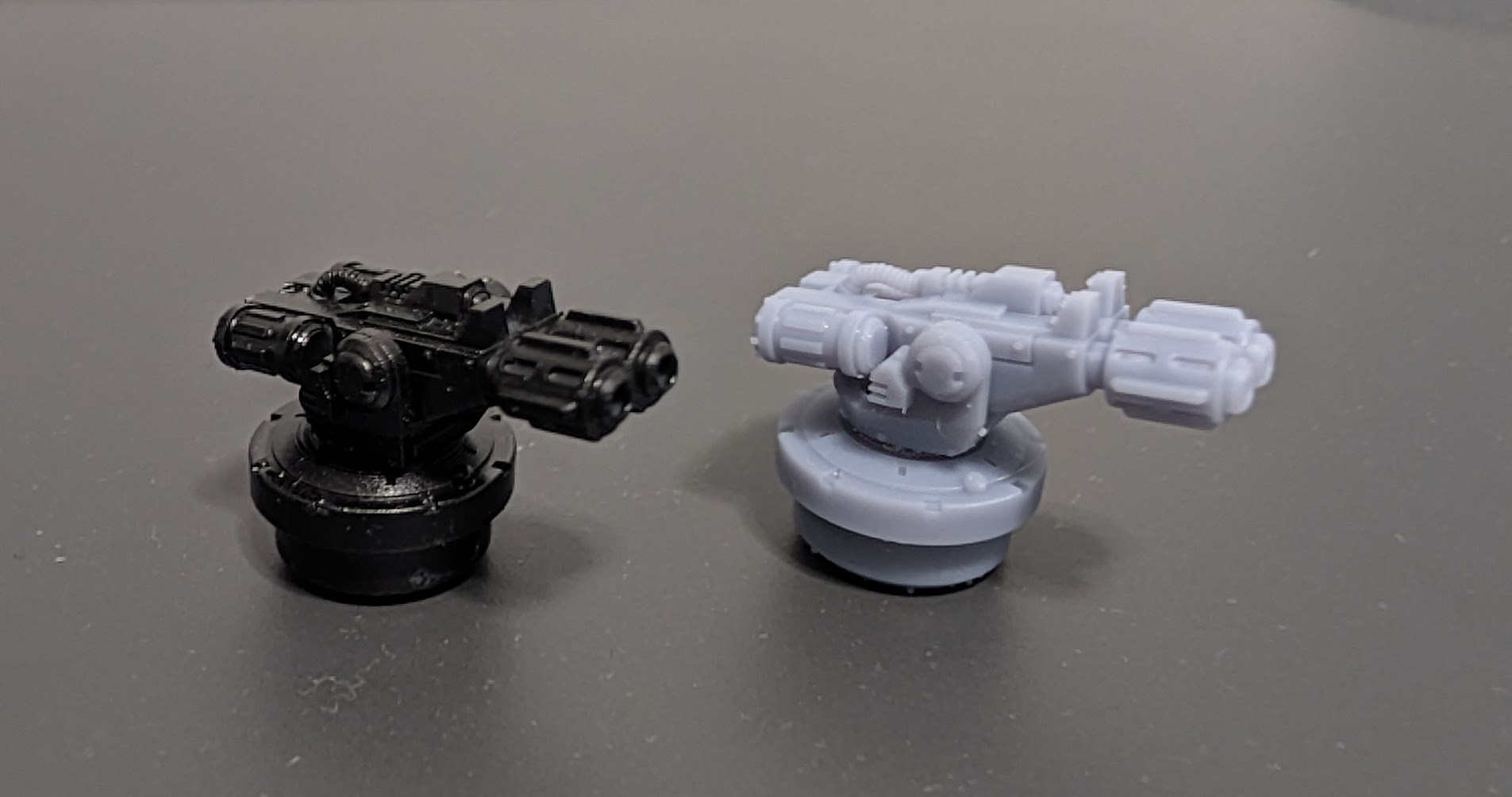 Part quality on the Jupiter 2 (right) is indistinguishable from the Saturn 4 Ultra 16K (left, painted). Gun and pintle by Mostbergminis (Cults3D). Base mount by Kevin Genson.
Part Quality and User Experience
The specifications on the Jupiter 2 are only a few microns off of the Saturn 4 Ultra 16K, and the part quality is indistinguishable. Details are sharp and the limitations of the machine are now more about the resin printing process. You still have to figure out orientations and support strategy, but that's the same with any other machine. The size of the machine actually has an advantage when it comes to removing parts off the plate. The build plate is heavy and thick, and you can keep it installed in the machine while you remove parts from the plate with the provided scraper. Elegoo's default raft settings include lots of tiny holes that make it easy to remove the plate, although larger parts like props might still be a challenge to take off. The build plate is heavy and thick, and while I didn't have a problem manipulating it, non-Primaris sized users might struggle.While a lot of older machines (such as the Jupiter SE) featured a monolithic cover that effectively sealed in the smells of the resin printer, the Jupiter 2 has several doors which mean that there's no way to stop anything from getting out. Resin printing is notoriously foul smelling and it's essential to only print in a well-ventilated room. In this case there is enough resin that you can easily stink up an entire house if you're not careful. This is definitely a machine that's intended to be used in a garage, and the size and the complexity of the recycling system mean that cleaning it is going to be hell.
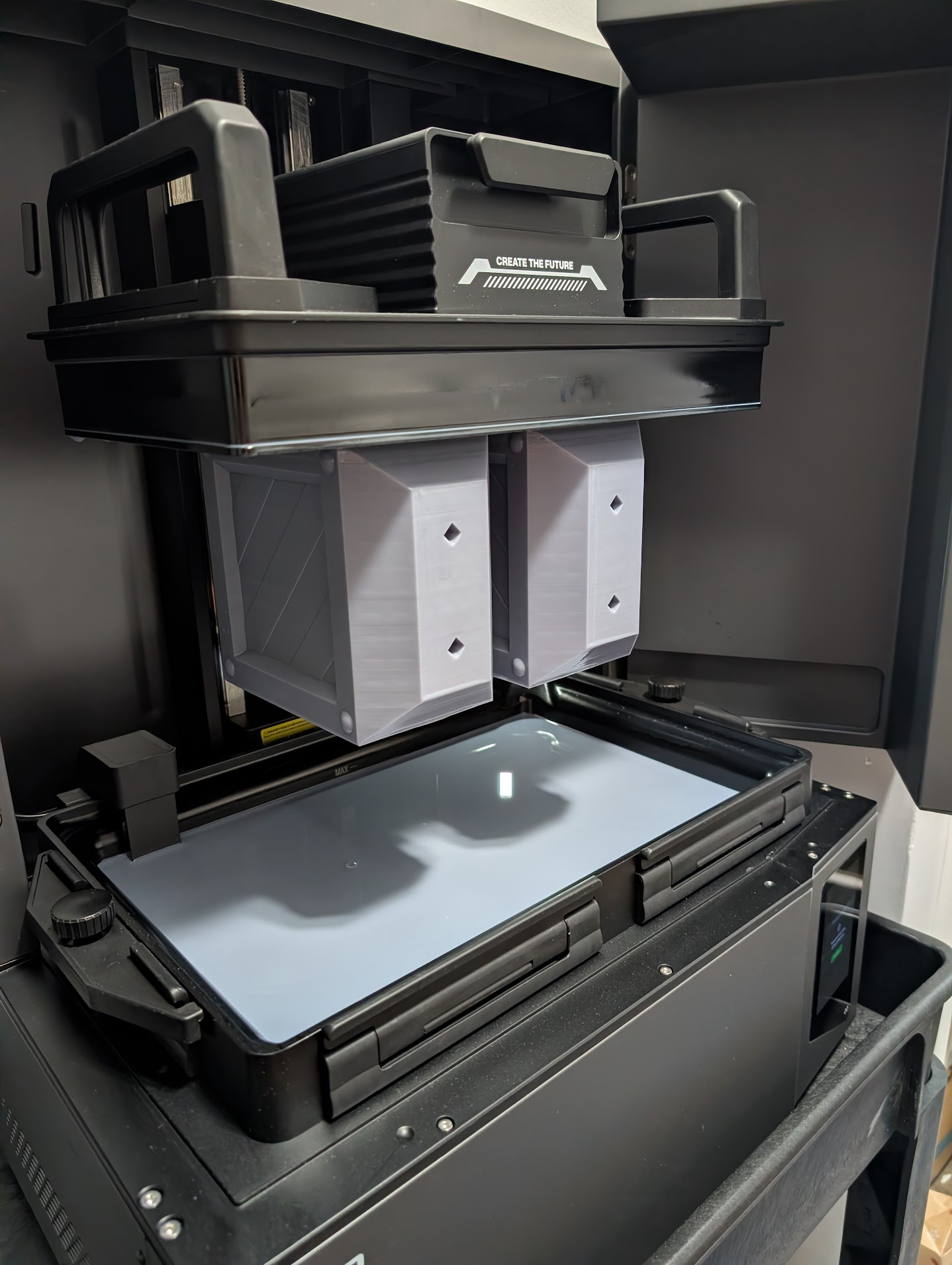 The machine can very easily make larger parts. This build took 15 hours with a 50 micron layer thickness.
As one might expect, where the Jupiter shines is on larger parts. With the right resin and build strategy you can make parts that are large enough to be functional, and people who are interested in props may find the printer to be a viable alternative to an extrusion-style printer. Because the resin process prints the entire layer at once the only determining factor for print time is height. A fully crowded plate can be printed in less than a day, even when the part height is maxed out. Removing the resin and curing can still be a pain.
The printer features a camera that is supposed to be used for monitoring prints, but it's largely useless. It's impossible to physically see the build plate unless the parts are larger, and at that point you're better off just looking at the window. The image quality also doesn't seem to be useful to do anything but tell you that the print has completely failed. I tried playing around with the camera but it's something I won't be using. As with the Saturn 4 Ultra 16K the camera will see through the cover into anything you have in the room.
Mercury Plus 3.0
Elegoo also sent us a Mercury Plus 3.0 washing station, and it's absolutely fantastic. It features a massive 7.5L resin tank that can hold parts equal in size to the Jupiter 2 (the Jupiter 2 build plate will not fit in the tank), and the washing system is very aggressive and moves a lot of liquid very quickly. One thing to be aware of; the basket inside the tank has fairly large holes and smaller parts can get lost. Adding a basket or mesh bag is advisable. The curing system works well and jumping between the two is very fast; just remove the tank and add the turntable. I highly recommend the Mercury Plus 3.0 and think it's a fantastic curing station.Pros and Cons
- Pro: At this point the primary determining factor for a printer should be the size and personal requirements, as build quality of the Jupiter 2 is equivalent to anything else.
- Pro: It's very well built and extremely intuitive to use and install; the machine does everything it can to not get in the way of good prints.
- Pro: You can build basically whatever you want, assuming you have the space and the resin.
- Pro: The resin loading and recycling system works very well, especially for larger builds which might consume more resin than you think.
- Con: It's heavy and far larger than most printers, which means you're going to need a dedicated space with lots of room and probably a friend to help get it out of the box.
- Con: You absolutely must manually level the plate before you build anything, as otherwise you'll get an error with a vat full of resin.
- Con: The enclosure does not seal out fumes the way other machines did, which means you're going to be dealing with a lot of really bad smells.
- Con: The resin recycling system is difficult to clean, which means you're really looking at dedicating this machine to a single material.
- Con: The camera isn't really useful.
Resin Safety
Resin printing is easy, but there are hazards that absolutely must be respected. The resins themselves are toxic and must be handled using gloves in a well-ventilated area. Items contaminated with uncured resin poses an environmental hazard and should be cured (leave it out in the sun) before disposing as general trash. Uncured resins are particularly hazardous to marine life and should not be washed down the drain. When washing, high proof isopropyl alcohol is extremely flammable and should be kept away from heat sources and open flames. IPA that is contaminated with resin is a hazardous waste and requires proper treatment. These risks are increased when working with the larger volume systems like the one reviewed here. There’s more resin to handle, and you need more IPA to wash everything. Please be careful.Should You Buy It?
The Jupiter 2 is able to manufacture parts with the same level of precision and quality as the Saturn 4 Ultra 16K, so the decision to buy is more about your needs and budget. If you have the money, the space, and you find yourself wanting to make larger parts like props or full pieces of terrain then the Jupiter 2 is a fantastic product. Having reviewed printers for years and worked professionally in the additive manufacturing space for decades, I can say that this is an extremely high-quality product and would recommend it without hesitation. This might be a fantastic printer for a club or a store who have a larger group of people to support. For an individual who just wants to print parts or miniatures the Jupiter 2 might be a bit too much, at which point the Saturn 4 Ultra 16K is a better choice. The Mercury Plus 3.0 is fantastic and well worth the purchase. For a few hundred dollars you will see a dramatic improvement in your processing workflow.Have any questions or feedback? Drop us a note in the comments below or email us at contact@goonhammer.com. Want articles like this linked in your inbox every Monday morning? Sign up for our newsletter. And don’t forget that you can support us on Patreon for backer rewards like early video content, Administratum access, an ad-free experience on our website and more.